This guide will look at how to edit and abandon existing objectives.
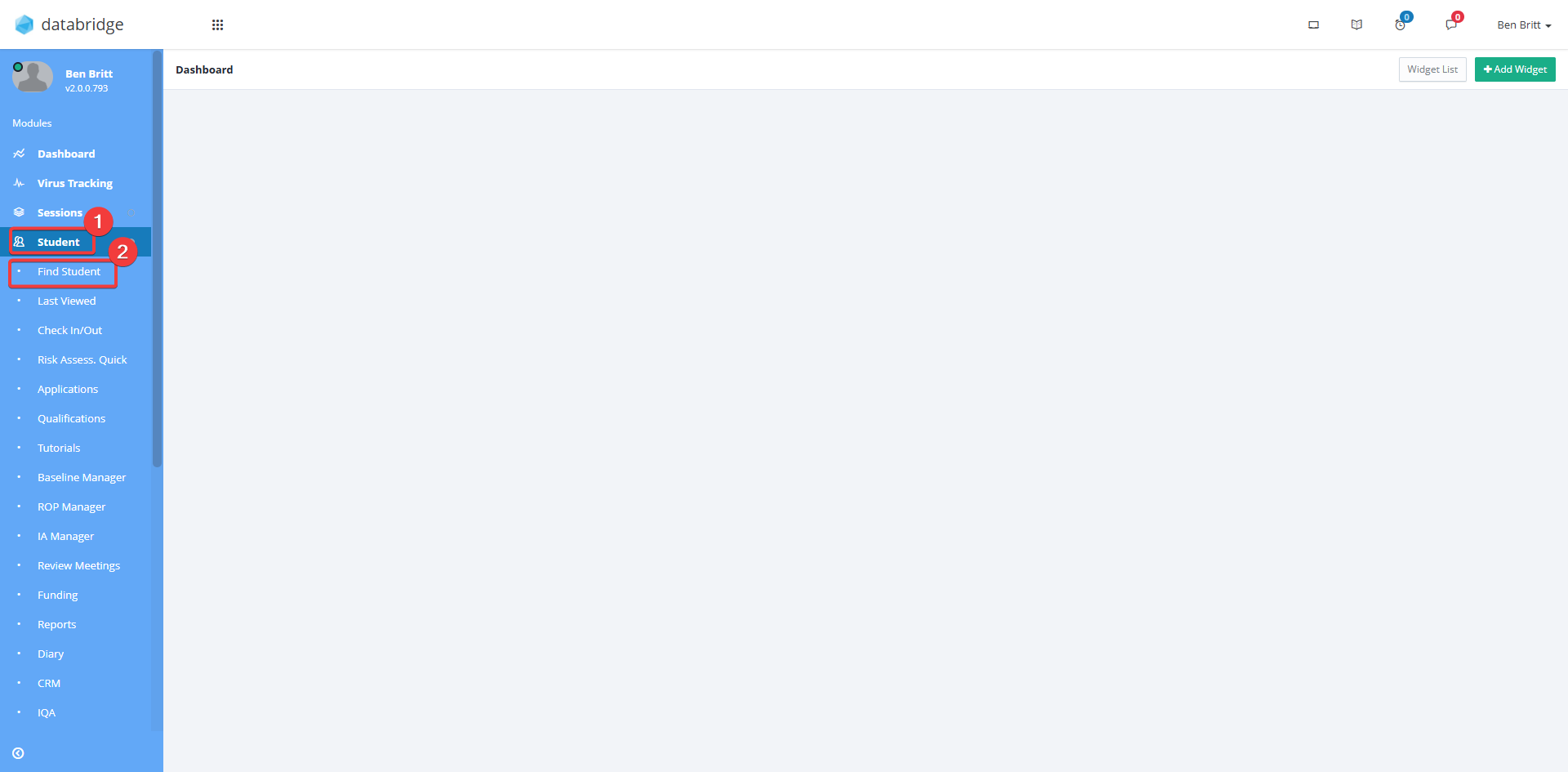
1. Navigate to Student > Find Student.
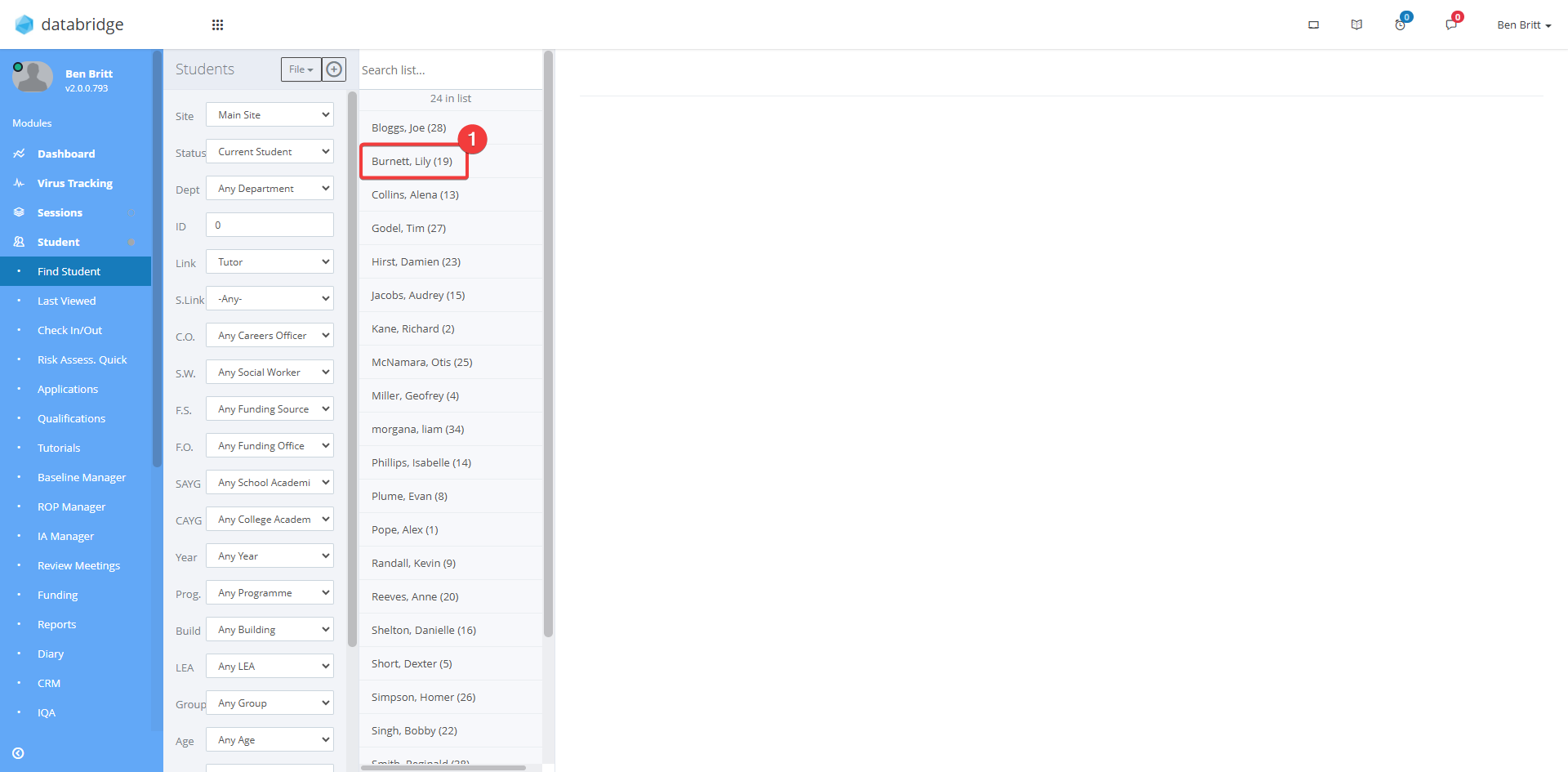
2. Select the *Student*.
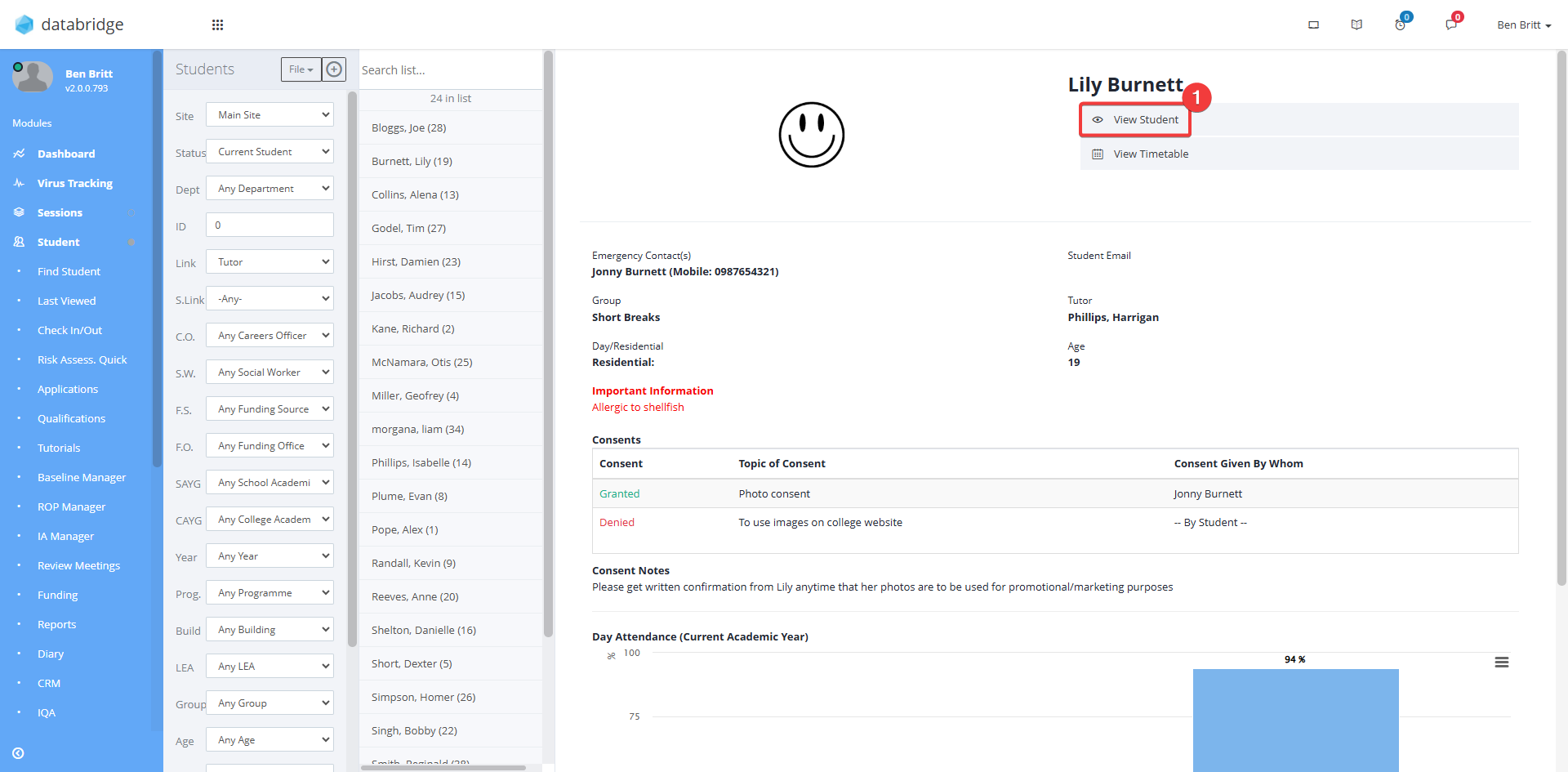
3. Click View Student.
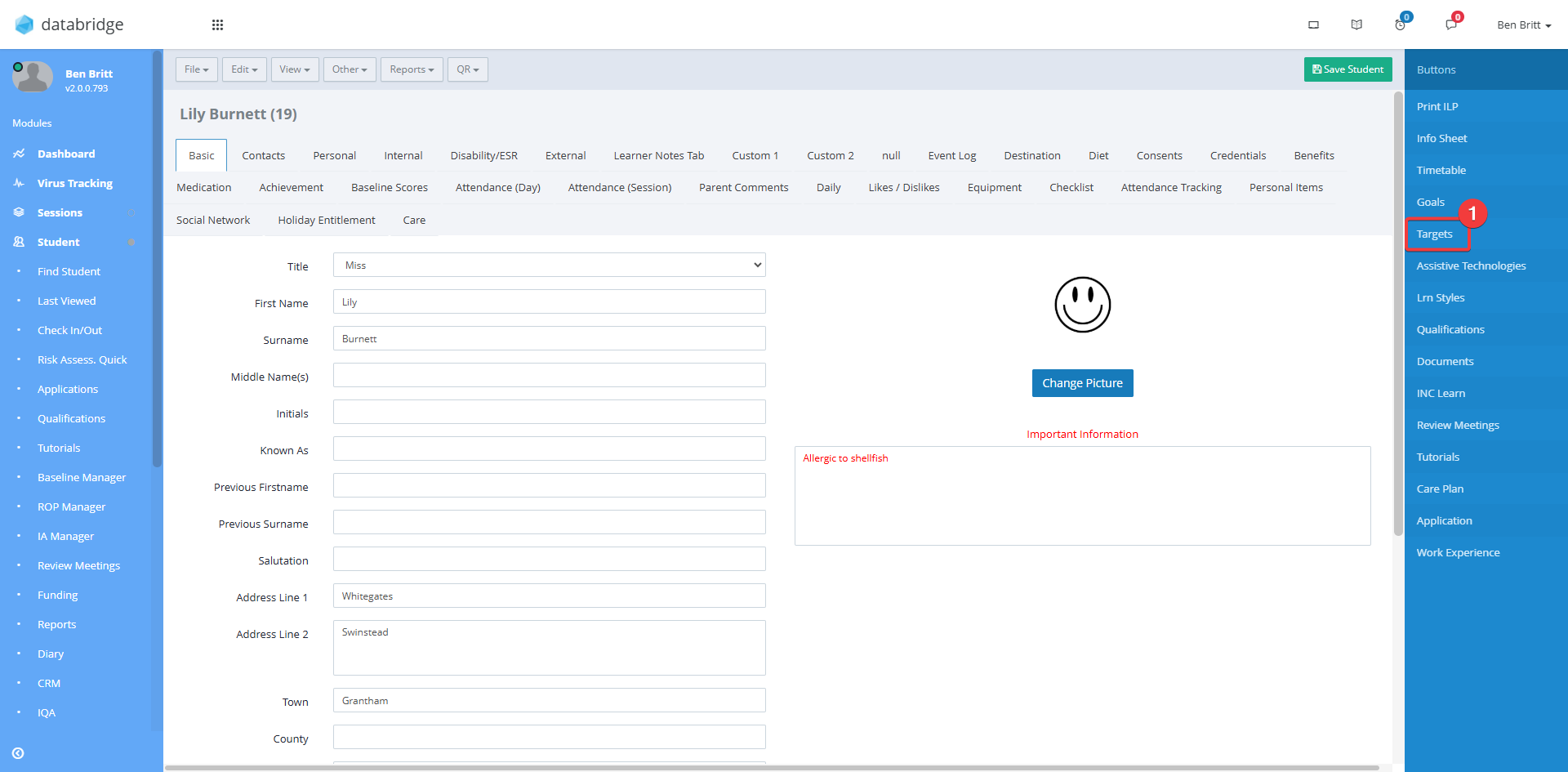
4. Select Targets from the navigation bar on the right-hand side.
5. This will now display the targets screen for the selected student
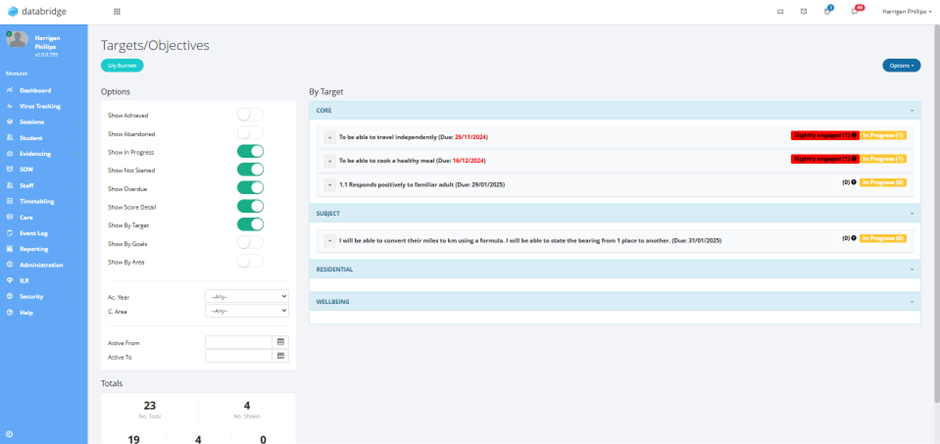
6. Click the + symbol to expand a target and view its objectives.

7. Click the Pencil icon next to the relevant objective.

8. To edit the objective, click Edit Objective.

9. From here you can edit the objective, No. of Achieves and add any notes necessary.
When done click Save.

10. You can abandon an objective by clicking Abandon Objective.

11. A popup will appear. In the textbox type your Reason for Abandoning.
Click Continue.

12. A Confirmation popup will appear, click Yes.
The objective will now be abandoned.

Was this article helpful?
That’s Great!
Thank you for your feedback
Sorry! We couldn't be helpful
Thank you for your feedback
Feedback sent
We appreciate your effort and will try to fix the article