This guide will look at how to set Qualification Units to Add by Default. This means that the selected units will automatically apply every time a Student is enrolled to the parent Qualification.
Note: This will only apply to Qualifications created after the following steps are taken, and will not affect existing Qualifications.
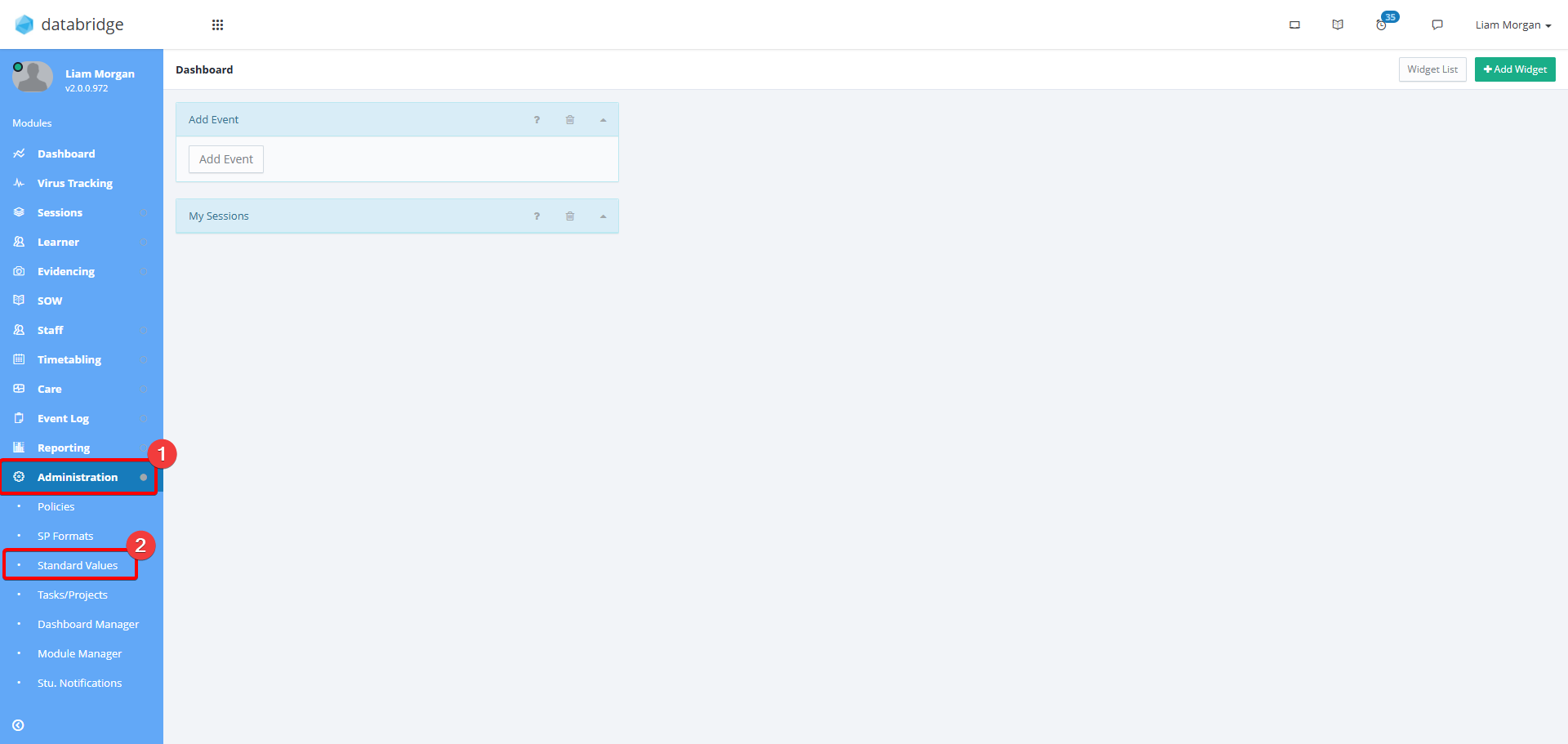
1. Navigate to Administration > Standard Values.
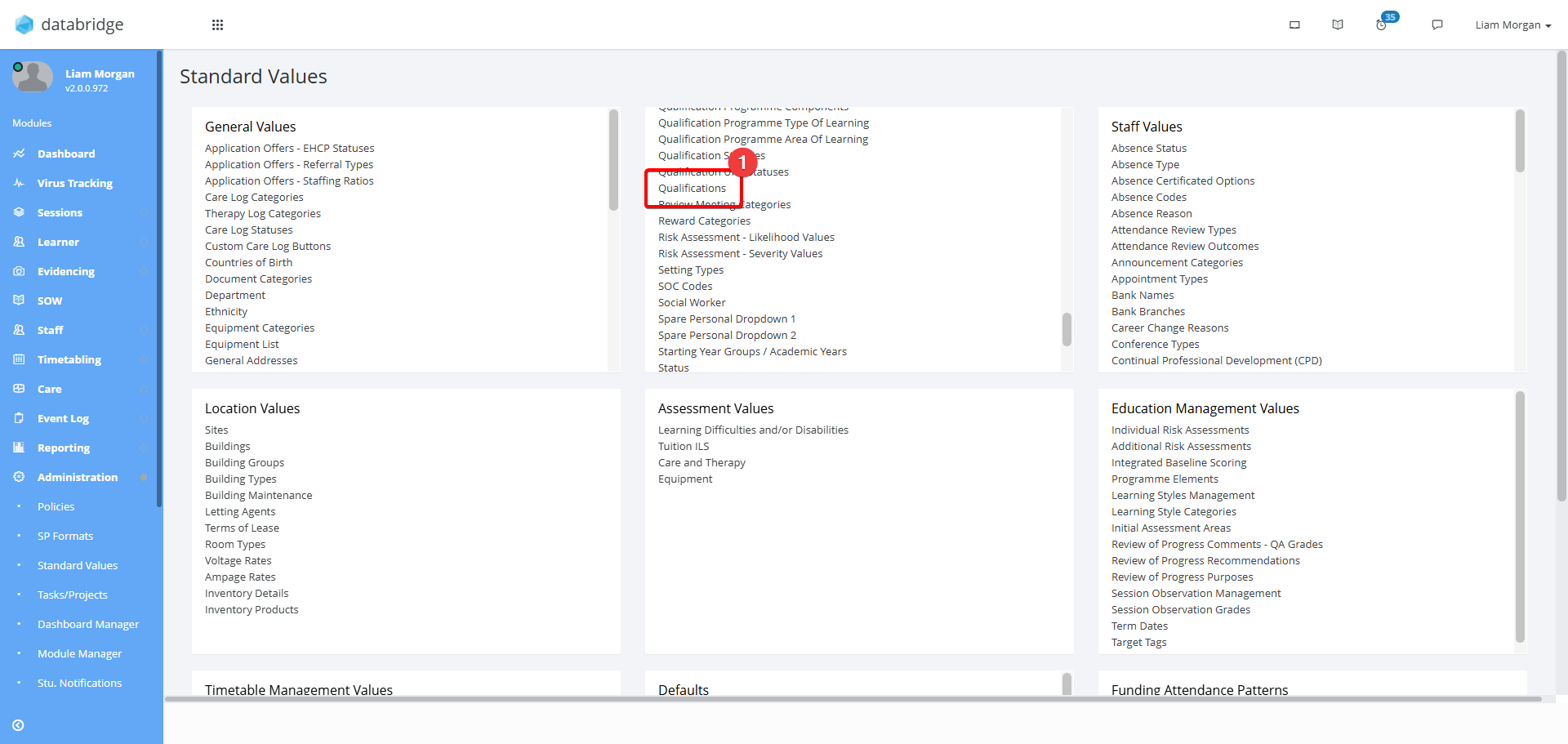
2. Within the Student section, click Qualifications.
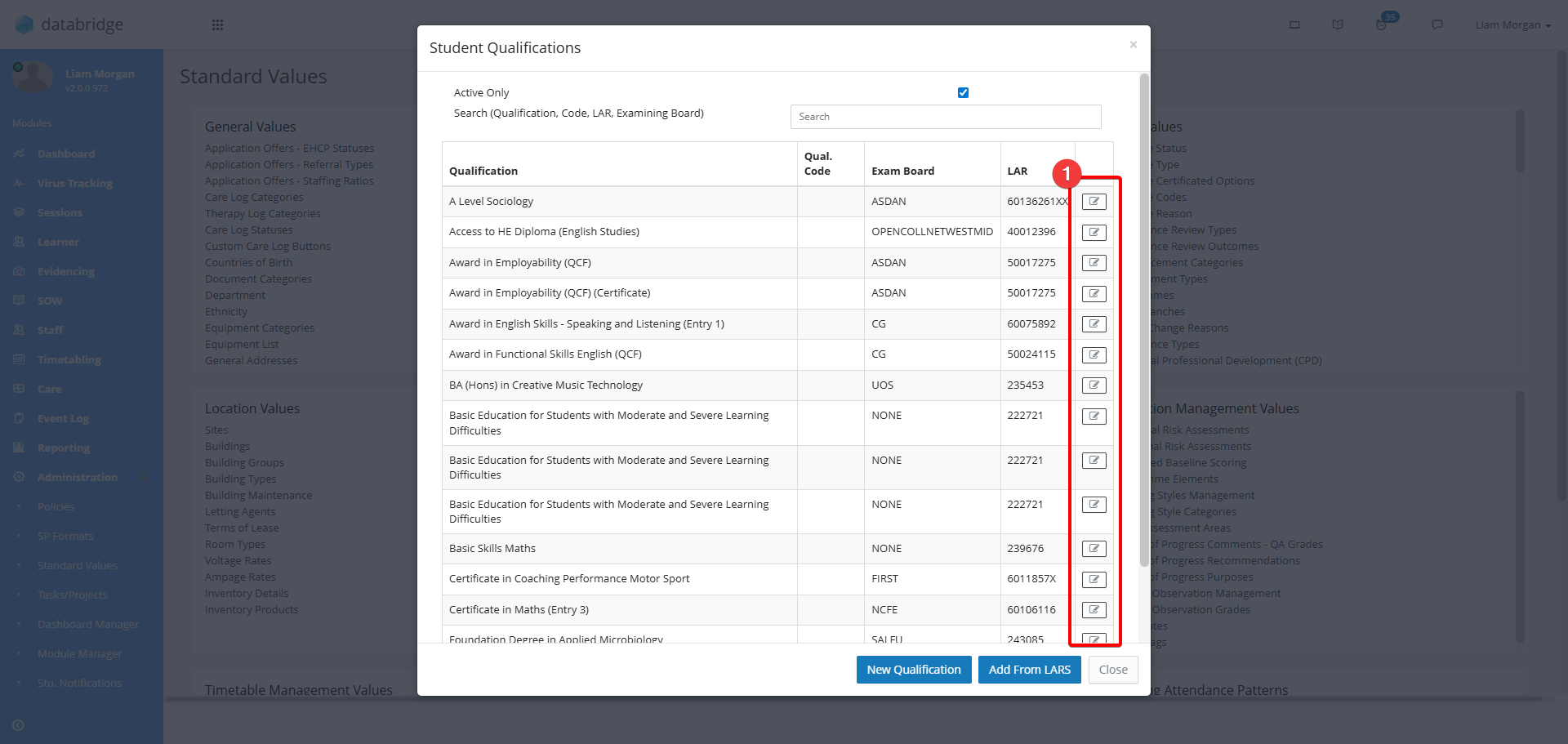
3. Click the Notepad Icon next to the relevant Qualification.
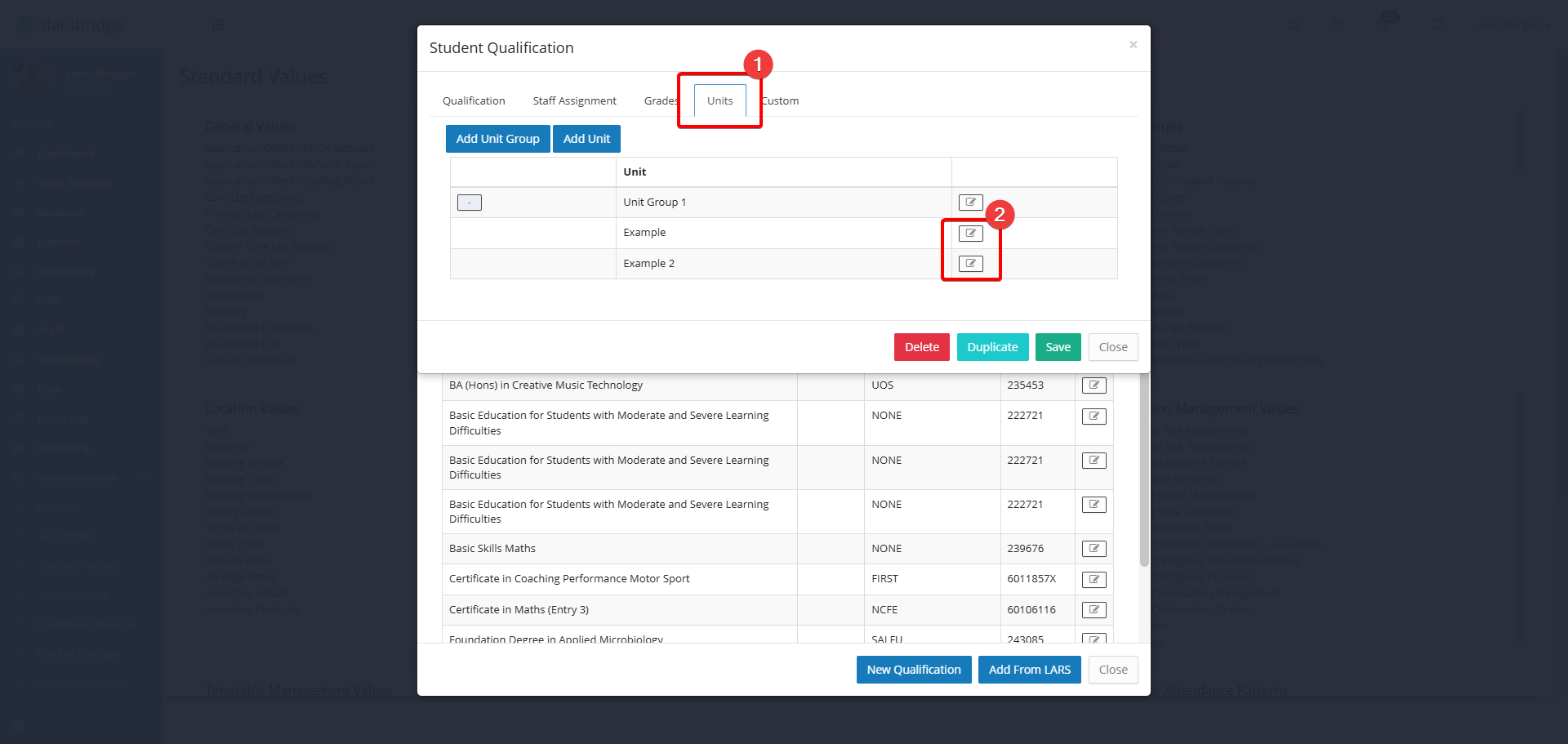
4. Click the Units Tab and then the Notepad Icon next to the relevant Unit.
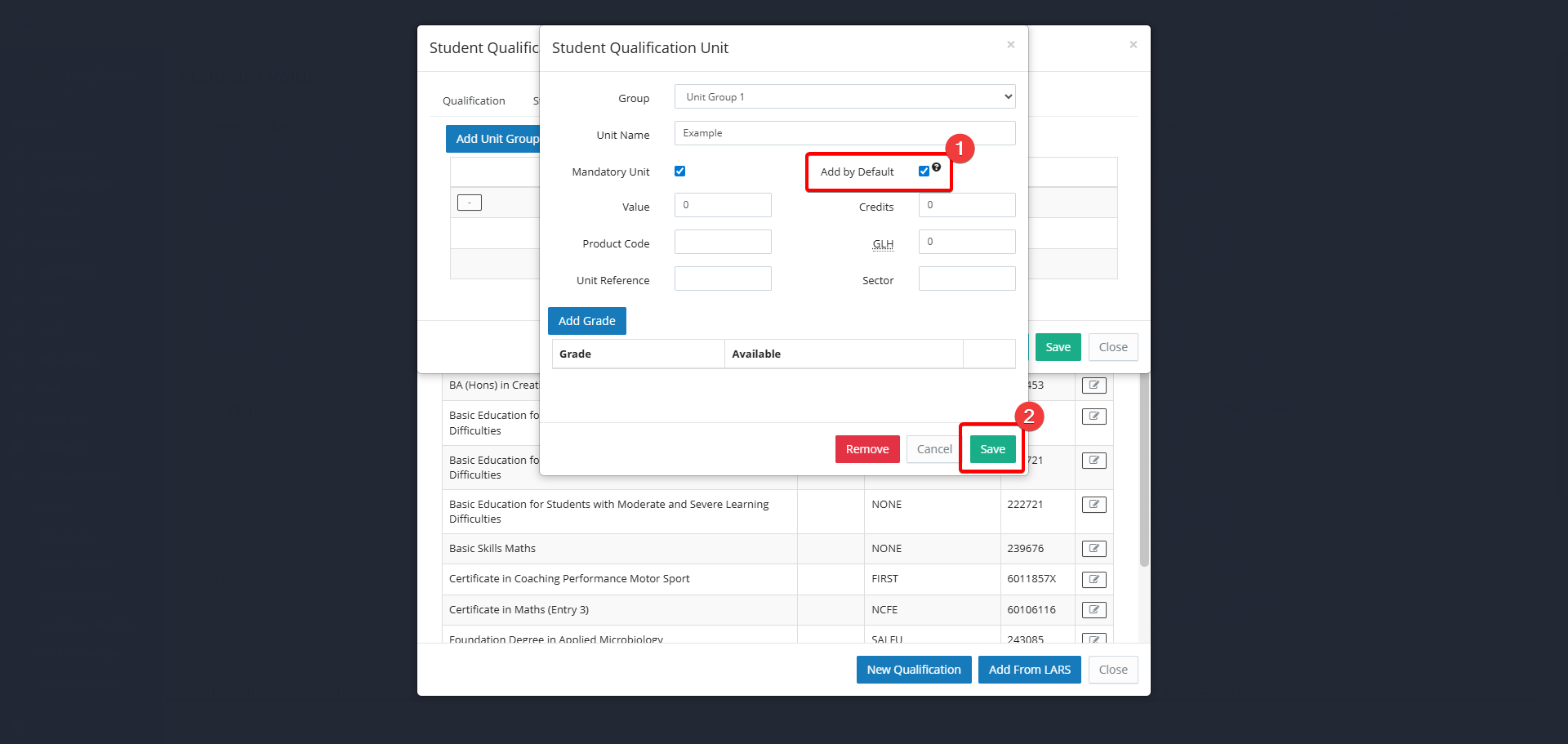
5. Check the Add By Default tick box, and click Save.
Was this article helpful?
That’s Great!
Thank you for your feedback
Sorry! We couldn't be helpful
Thank you for your feedback
Feedback sent
We appreciate your effort and will try to fix the article