Before a Student can log into the Learner Portal, you need to configure their login details. This can be done either individually or in bulk.
TABLE OF CONTENTS
Assigning Login in Bulk
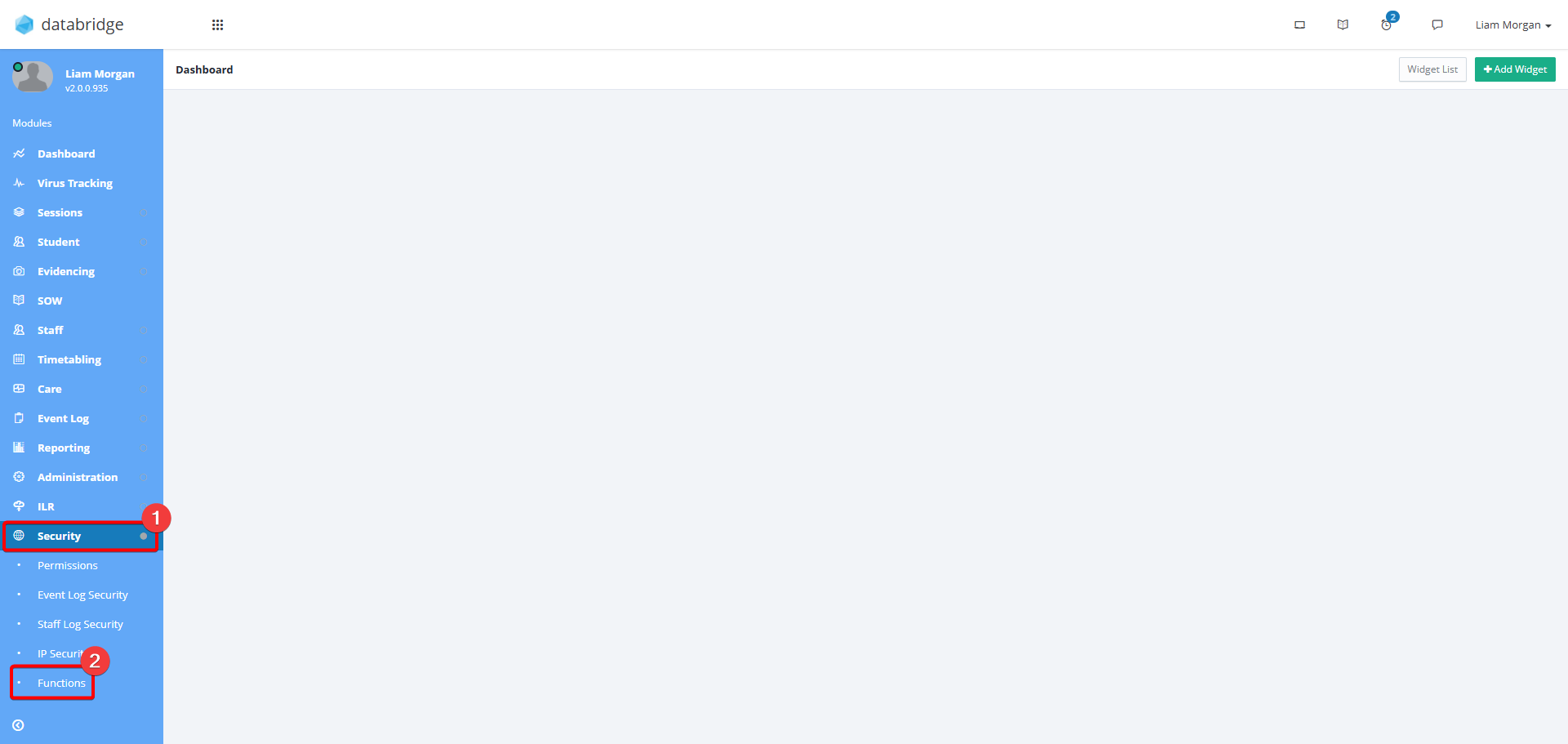
1. First, navigate to Security> Functions.
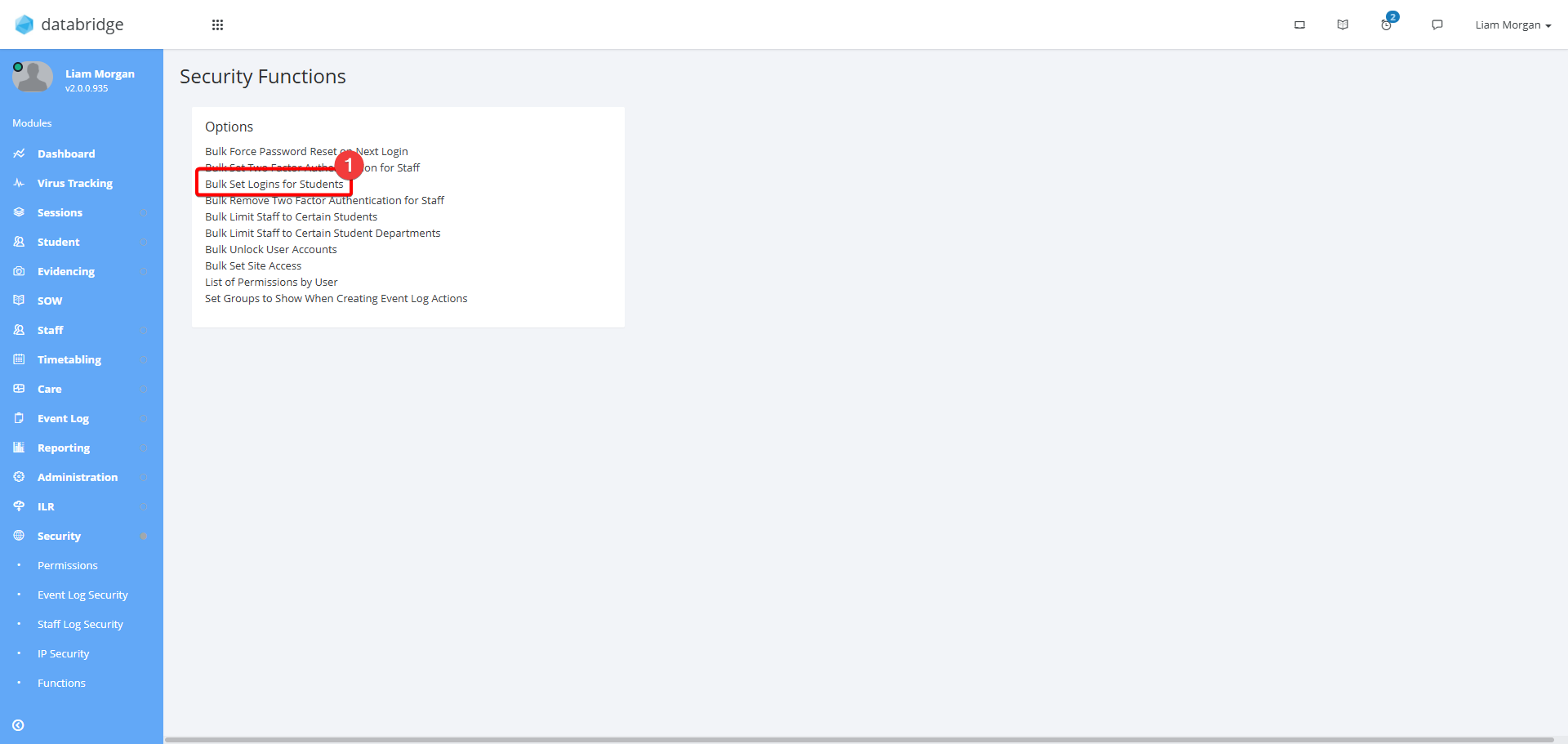
2. Select Bulk Set Logins for Students.
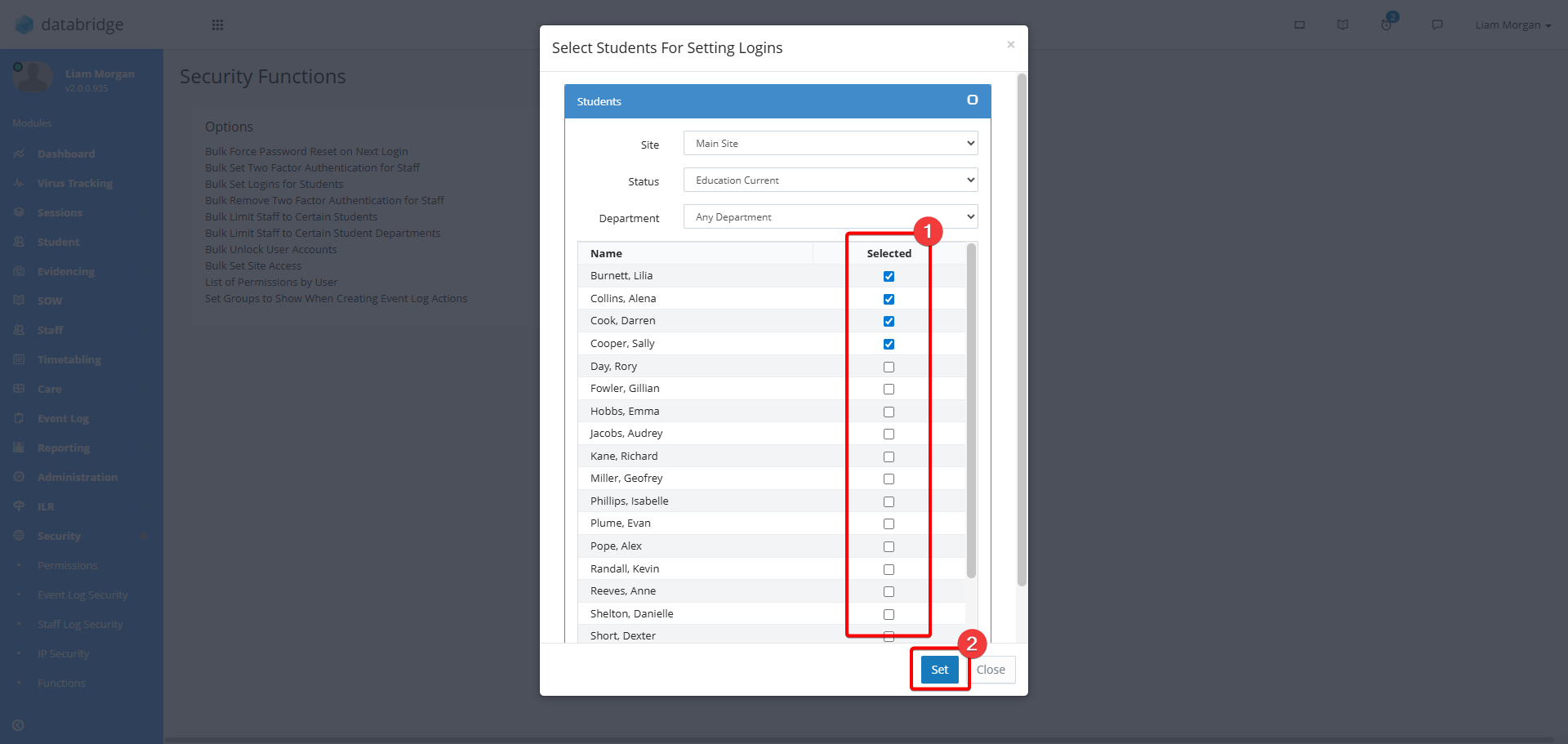
3. This will display a window where you can use the checkboxes to select the Students to create logins for. Once you have select the relevant Students, click Set.
Setting Individual Logins
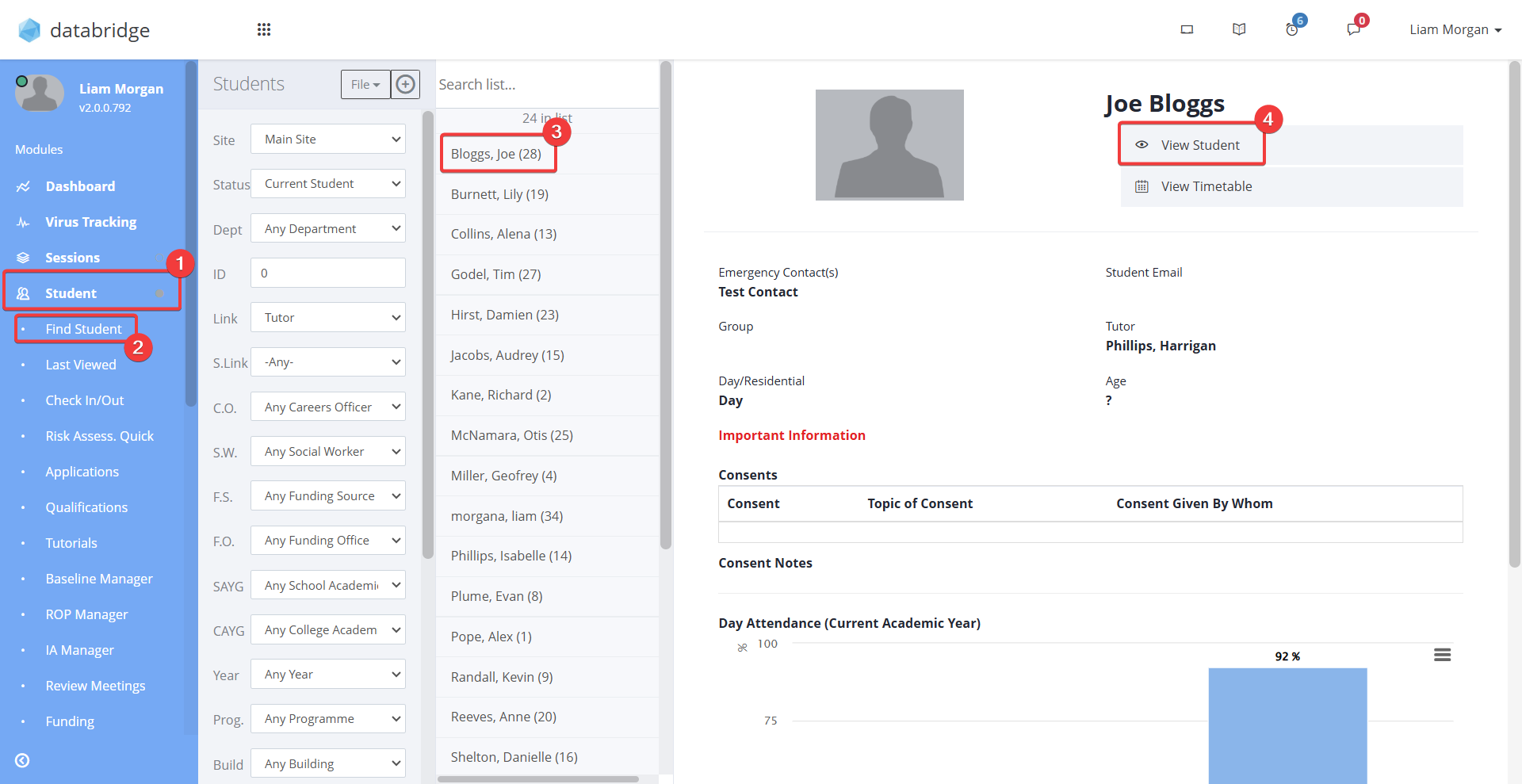
4. First navigate to the Student Record via Student > Find Student > *Student name* > View Student.
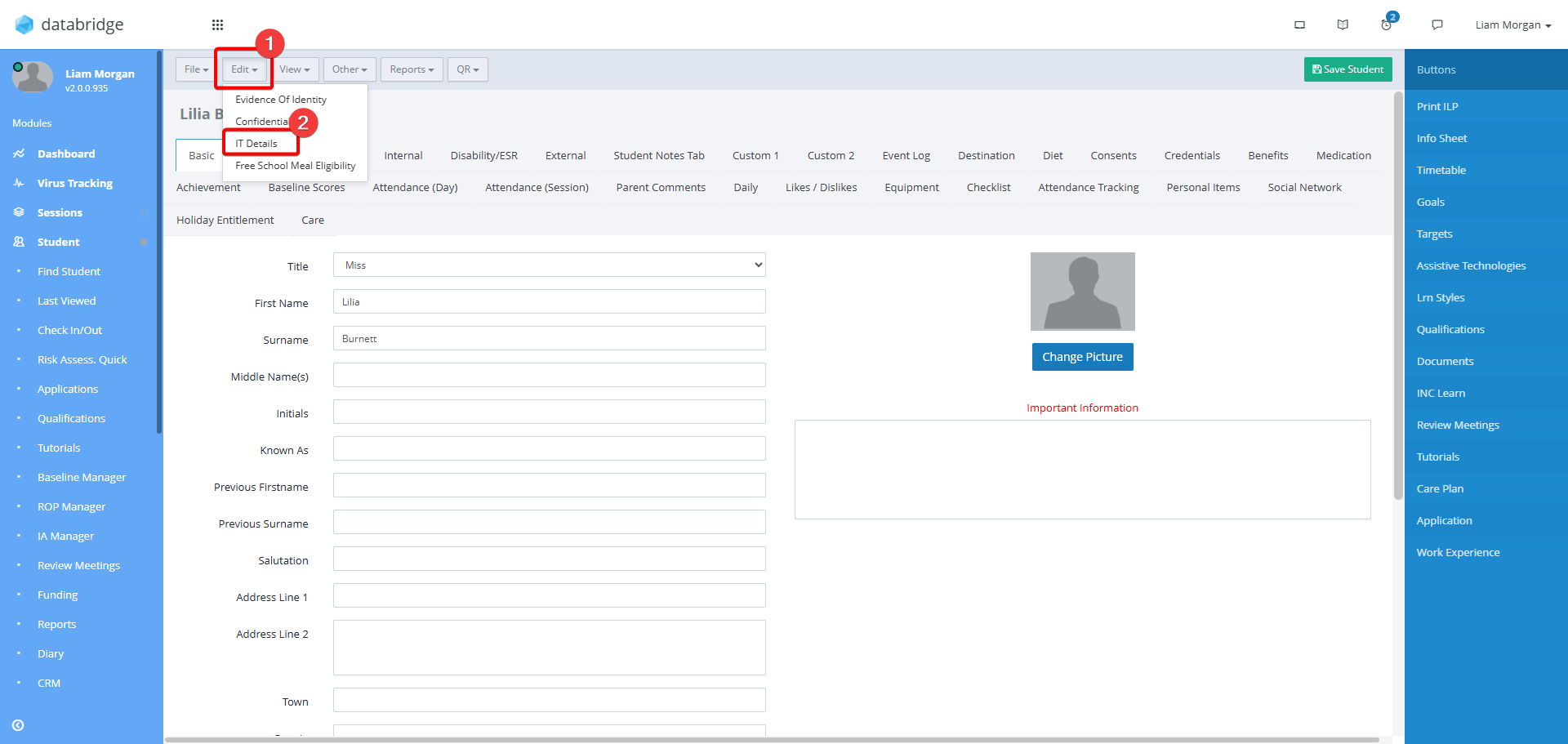
5. Click Edit > IT Details
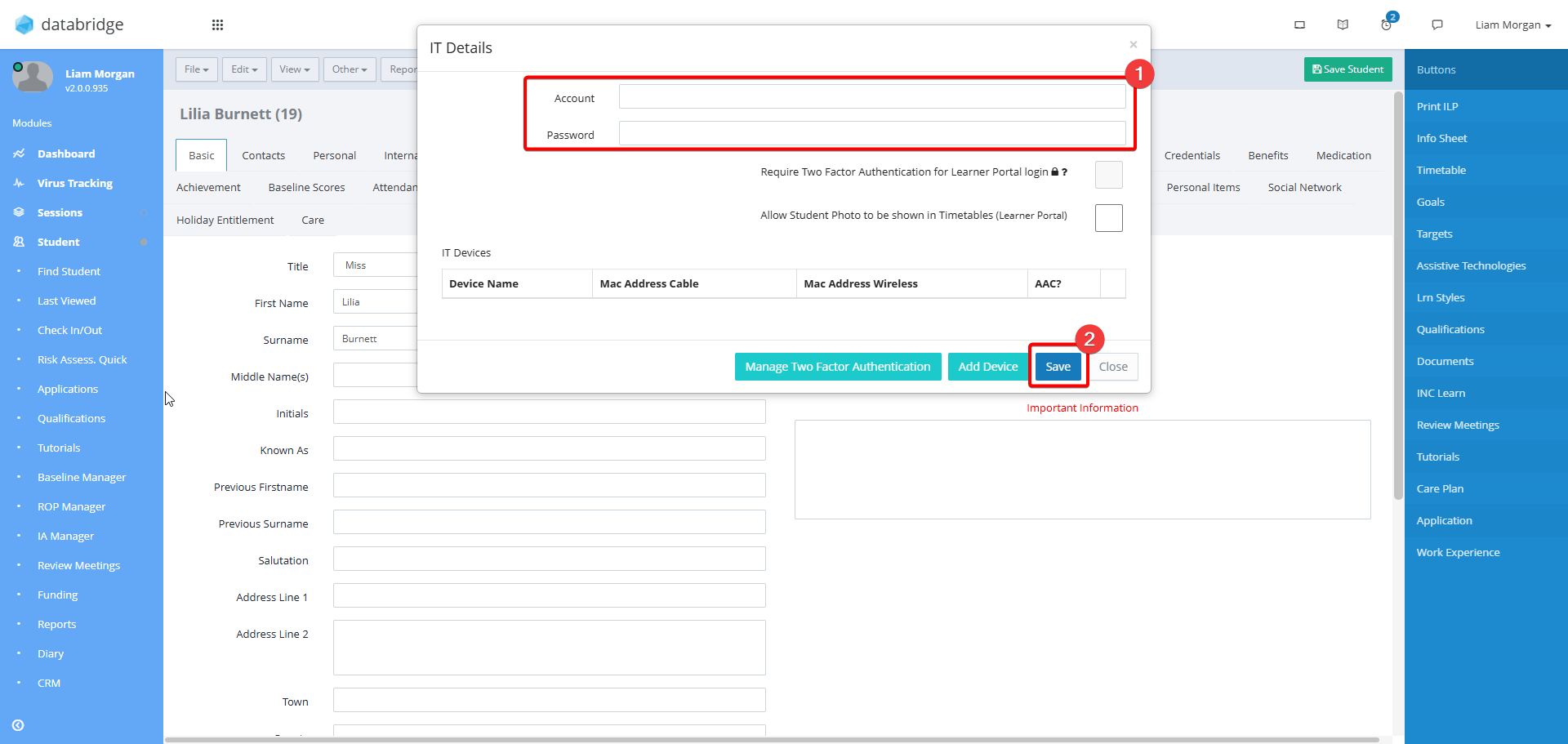
6. Use the Account and Password fields to add / edit the login details, then click Save.
Information:
You can print a report that displays all of the login credentials for the Learners on your system, by going to Learners > Reports > Learners Detail Reports > List of IT Username/Passwords. Running this report will create an excel sheet displaying all usernames and passwords for the Learner Portal.
Was this article helpful?
That’s Great!
Thank you for your feedback
Sorry! We couldn't be helpful
Thank you for your feedback
Feedback sent
We appreciate your effort and will try to fix the article