This guide will look at how to customise what modules are available for Students within the Learner Portal.
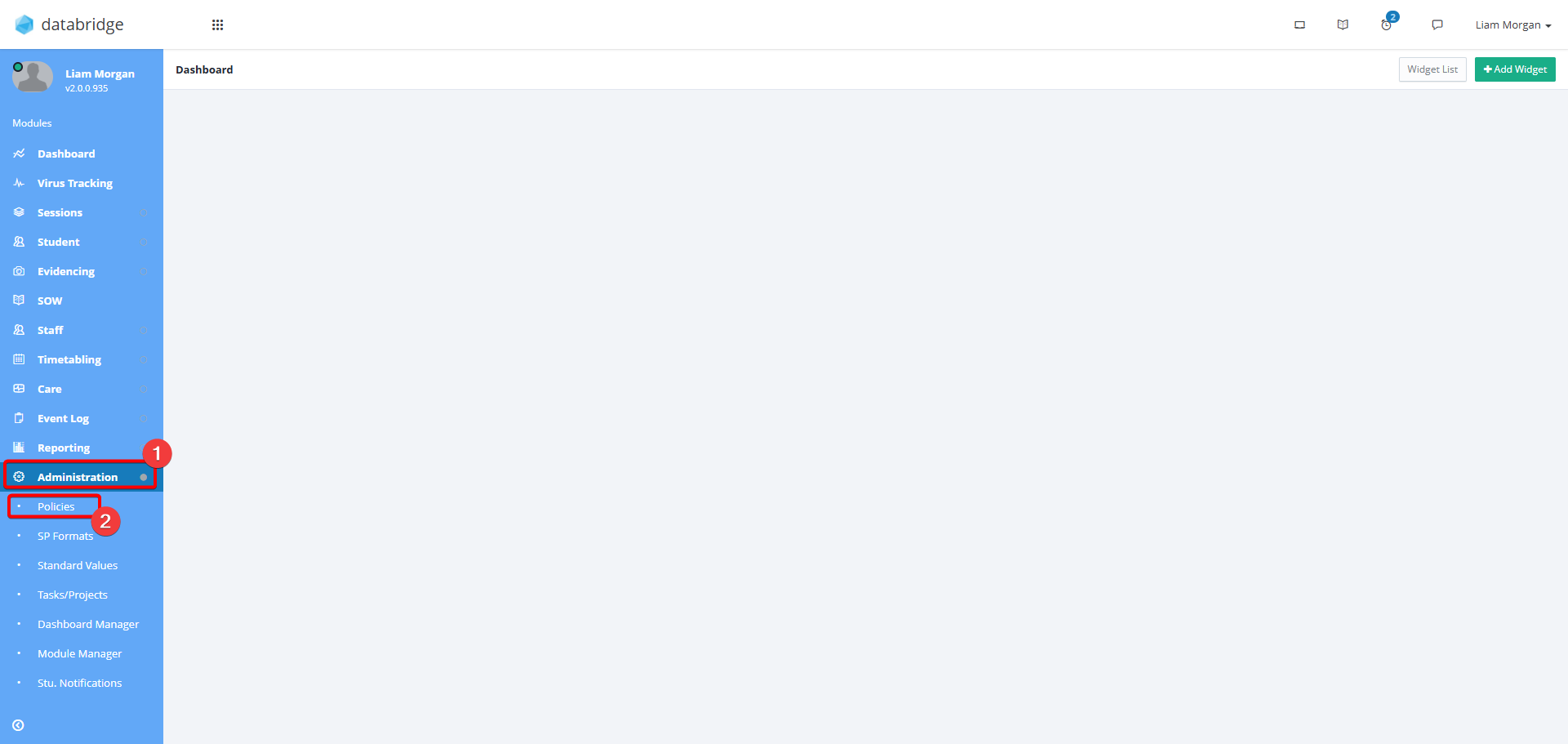
1. First, navigate to Administration > Polices.
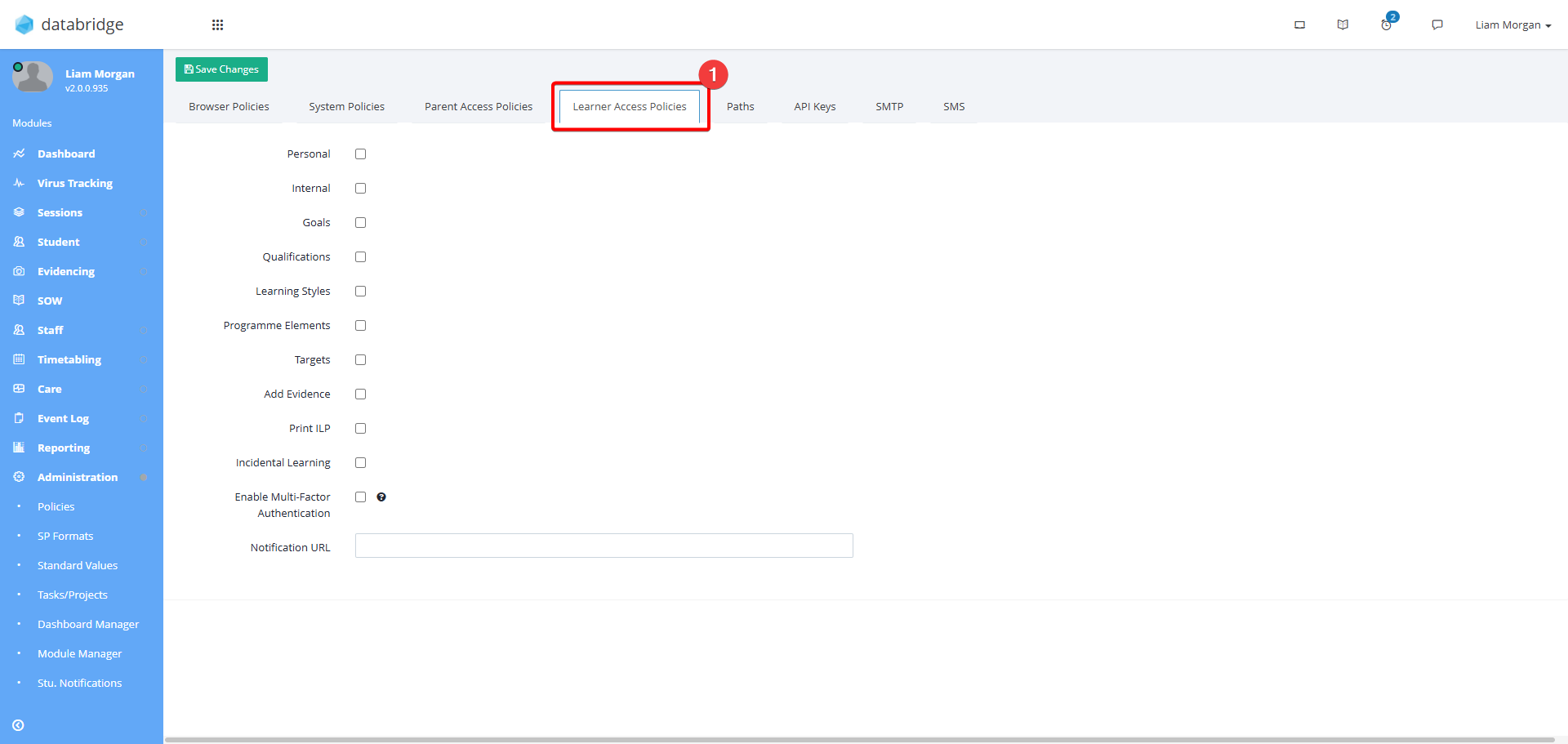
2. Click the Learner Access Polices Tab.
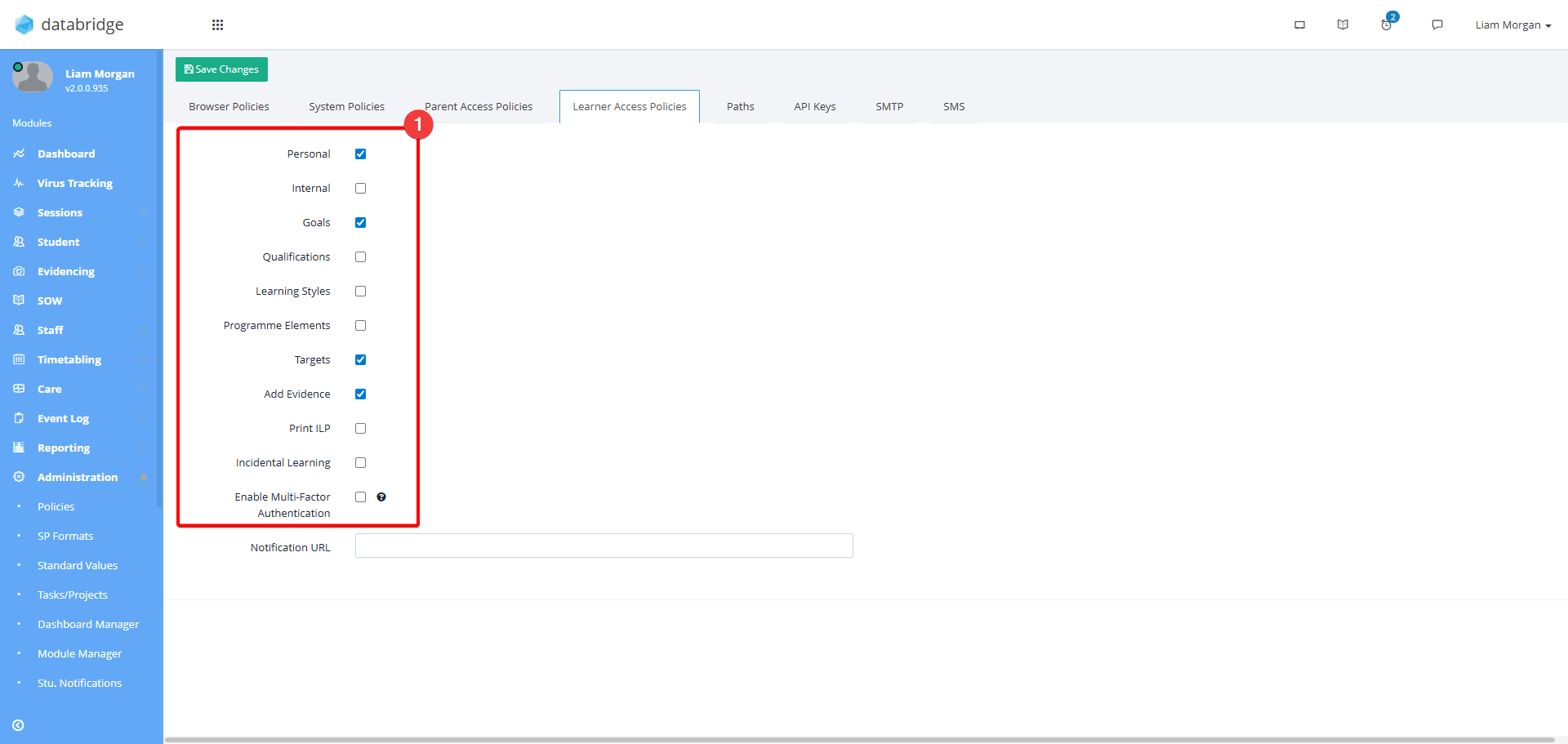
3. Use the Checkboxes to select which modules to show / hide.
- Personal - Display name, DoB address and contact details of the Learner
- Internal - Display staff links e.g. Tutor, Key Worker
- Goals - Lists the Long and Medium Term Goals set for the Learner
- Qualifications - Lists the Qualifications set for the Learner
- Learning Styles - Lists any Learning Styles for the Learner
- Programme Elements - This is now an unsupported feature.
- Targets - Lists any Targets and objectives set fore the Learner
- Add Evidence - Allows the user to submit their own evidence against their objectives.
- Print ILP - This is now an unsupported feature.
- Incidental Learning - Displays any Incidental Learning evidence recorded for the Learner
- Multi-Factor Authentication - Enables MFA for learners when logging into the Portal.
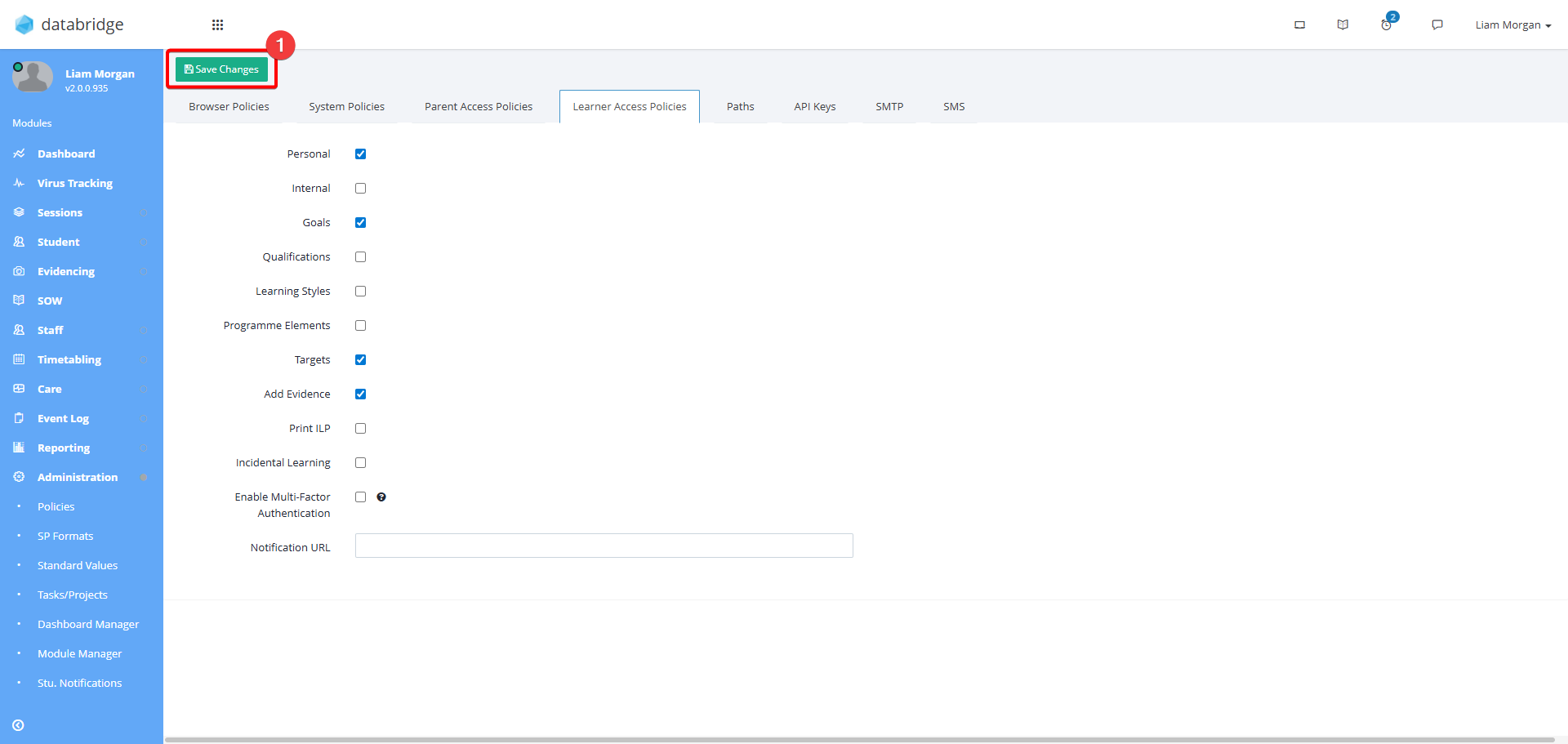
4. Once you have selected the relevant checkboxes, click Save Changes.
Was this article helpful?
That’s Great!
Thank you for your feedback
Sorry! We couldn't be helpful
Thank you for your feedback
Feedback sent
We appreciate your effort and will try to fix the article